WhatsApp: as melhores alternativas em 2021
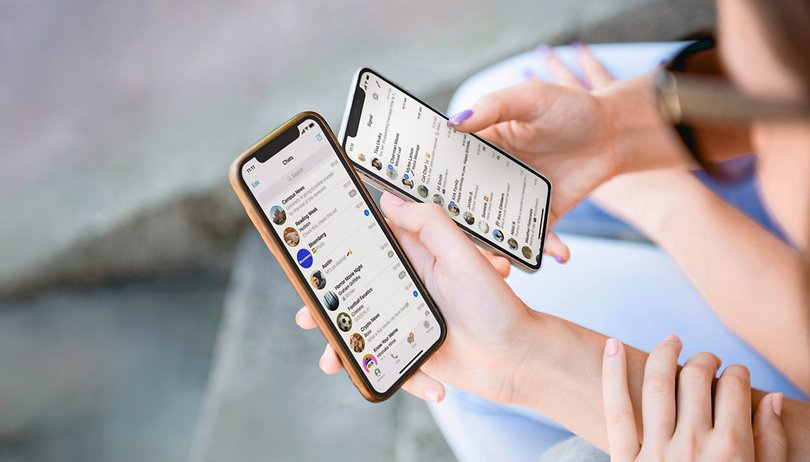

A WhatsApp é sem dúvida o app de mensagens mais popular do mundo, com mais de 2 bilhões de usuários ativos mensais. No entanto, tenho certeza de que há muitos de vocês que não estão muito confortáveis com o serviço, sua conexão com o Facebook e sua recente decisão de ajustar sua política de privacidade. Pensando em vocês, reunimos as melhores alternativas ao WhatsApp para o seu celular.
Pegue um atalho:
- Telegram: Talvez a melhor alternativa ao WhatsApp
- Signal: Gratuito e com a privacidade em primeiro lugar
- Threema: Você pagaria para ter privacidade?
- iMessage: Compre um iPhone para usar!
- Discord: Não é só para jogos!
Mas antes de tudo, vamos tratar da inspiração para este artigo e falar sobre a necessidade destas alternativas em primeiro lugar.
A necessidade de alternativas do WhatsApp
Apesar da circulação de mensagens anti-WhatsApp desde que o serviço de mensagens foi comprado pelo Facebook em 2014, isso nunca se traduziu realmente em um êxodo em massa.
Isso mudou em janeiro de 2021, logo depois que o WhatsApp enviou notificações à maioria de seus 2 bilhões de usuários sobre mudanças iminentes em sua política de privacidade. Na notificação, a WhatsApp parecia indicar que a aceitação das novas políticas seria interpretada como a concordância dos usuários em compartilhar suas informações privadas com o Facebook.
Horas depois que o público ficou sem entender ao certo as novas mudanças, houve um burburinho nas redes sociais e as pessoas começaram a procurar alternativas ao WhatsApp. A confusão causada e a publicidade negativa geral sobre o assunto acabou forçando a WhatsApp a atrasar a implementação da nova política de privacidade.
Após uma campanha mundial tentando explicar ao público como as novas mudanças não afetarão a sua privacidade, o WhatsApp anunciou que adotará as regras em 15 de maio de 2021, dando tempo suficiente para rever as mudanças.
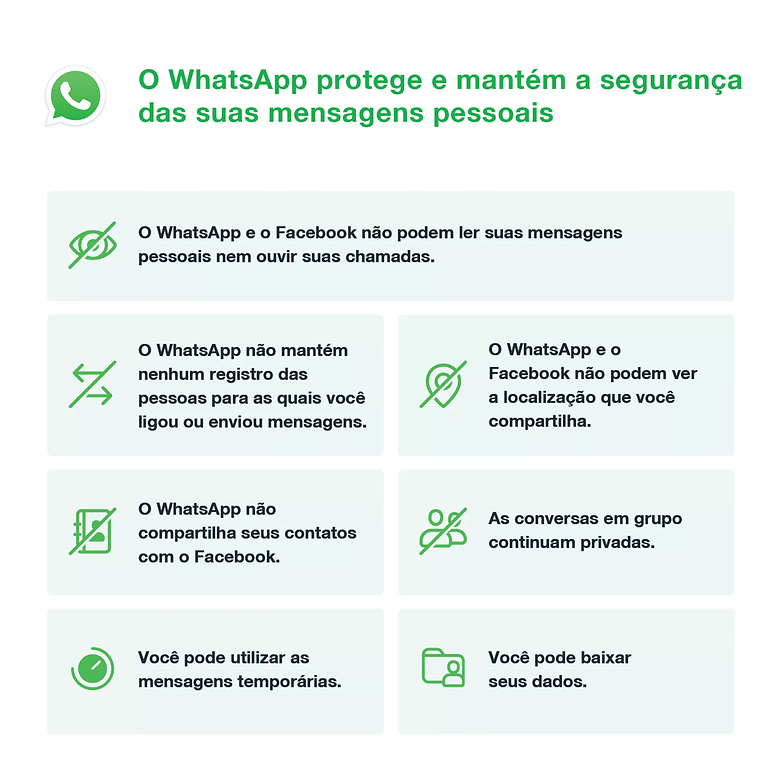
Com a nova política de privacidade do Facebook em breve, você pode estar se perguntando se existem boas alternativas do WhatsApp que podem funcionar como uma plataforma de mensagens eficaz e, ao mesmo tempo, garantir sua segurança e privacidade.
A seguir listamos as cinco melhores alternativas seguras para o WhatsApp em 2021.
Telegram: a melhor e mais completa alternativa ao WhatsApp?
O Telegram aparece frequentemente no topo das listas de alternativas ao WhatsApp — e por um bom motivo. Além de ser repleto de recursos, o app também é visualmente semelhante ao "Zap", dando uma sensação de familiaridade para quem instala o app.
Mas por que o Telegram é melhor do que o WhatsApp? Fora a semelhança de uso, o que faz com que a maioria das pessoas adote o Telegram são algumas das principais características de mensagens que são implementadas de uma melhor maneira em comparação com o WhatsApp.
O Telegram é um aplicativo de mensagens completo que pode quase fazer tudo o que as pessoas buscam em um aplicativo desse tipo. Ele suporta conversas, vídeo-chamadas, bate-papos em grupo, canais, chamadas de áudio, configuração de bots, e pode até mesmo fazer pesquisas. Como você deve ter notado, alguns destes recursos nem sequer estão presentes no WhatsApp.
Outra vantagem do Telegram é o suporte a múltiplos dispositivos. Ao contrário do WhatsApp, o aplicativo web do Telegram não precisa estar conectado ao seu celular para trocar mensagens. Além disso, tudo é sincronizado no Telegram — incluindo rascunhos de mensagens não enviadas!
Se todos esses recursos não fossem suficientes, o Telegram também suporta o compartilhamento de grandes mensagens com até 1,5 GB. Na verdade, você pode pensar nisso como um serviço de armazenamento em nuvem, e alguns dos meus amigos até usam o Telegram para isso. Para garantir que estes arquivos não sejam excluídos, você é obrigado a fazer o login pelo menos uma vez a cada seis meses.
Outras características do Telegram:
- O fator de compressão de vídeo e imagem pode ser controlado;
- Suporte para mensagens curtas em vídeo;
- A capacidade de editar mensagens após o envio;
- Transferência do histórico de conversa do Android para o iOS e vice-versa;
- Pessoas que você não conhece não podem ver seu número em grandes grupos;
- Ah, e sem restrições no tamanho dos grupos. Você pode conversar com outras 200.000 pessoas!
Pontos contra o Telegram
Nem tudo é sombra e água fresca na terra do Telegram. O app, na data de publicação deste artigo, não oferece chamadas de vídeo em grupo — sucesso de público no WhatsApp (mas que deve chegar muito em breve). Outra crítica é a criptografia de ponta-a-ponta do Telegram, que não é habilitada por padrão. A empresa também indicou recentemente que poderia trazer alguma forma de anúncios para acompanhar o aumento dos custos.
No geral, acho que o Telegram é uma boa alternativa ao WhatsApp — e com mais de 500 milhões de pessoas já usando o serviço —, é provável que você encontre muitos de seus amigos e familiares nele.
Em resumo: achamos que o Telegram, mesmo com alguns de seus problemas, é a melhor alternativa à WhatsApp em 2021.
- Baixe o Telegram na Google Play Store ou na Apple App Store.
Signal: gratuito e com a privacidade em primeiro lugar
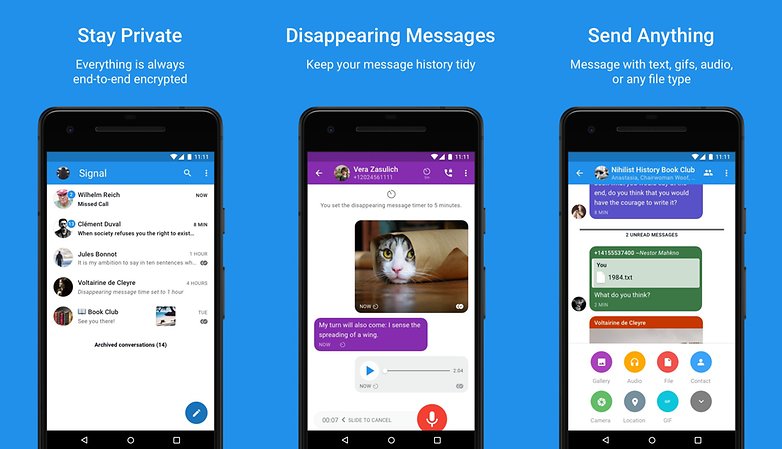
O Signal ganhou força como alternativa ao WhatsApp em 2021. A popularidade do aplicativo aumentou logo após o desastroso anúncio do WhatsApp. Após ser divulgado por pessoas como Edward Snowden e Elon Musk, o Signal continua destacando seu foco na privacidade e segurança como suas melhores características.
Além disso, assim como o WhatsApp e o Telegram, o Signal também tem seu app no PC para que você possa enviar mensagens sem problemas através de seu smartphone ou computador.
Embora não tão forte quanto o Telegram em termos de recursos extras, as principais opções de mensagens do Signal, que incluem conversas individuais, grupos, vídeo e chamadas de voz, são conhecidos por funcionarem muito bem.
O que faz o Signal se destacar, no entanto, é sua insistente tentativa de ser uma plataforma segura e seu compromisso de permanecer assim para sempre. A empresa afirma que não terá anúncios e ou comerciantes afiliados.
Pontos contra o Signal
O Signal tem atualmente uma base de usuários de 50 milhões, que é significativamente menor do que a do WhatsApp ou do Telegram. A razão mais difícil para mudar para o Signal não é o aplicativo em si — mas a falta de pessoas suficientes para conversar no aplicativo.
Em resumo: o Signal é um grande app para pessoas cautelosas e preocupadas quanto às verdadeiras intenções do Telegram.
- Baixe o Sinal na Google Play Store ou na Apple App Store.
Threema: você pagaria por um app seguro e focado na privacidade?
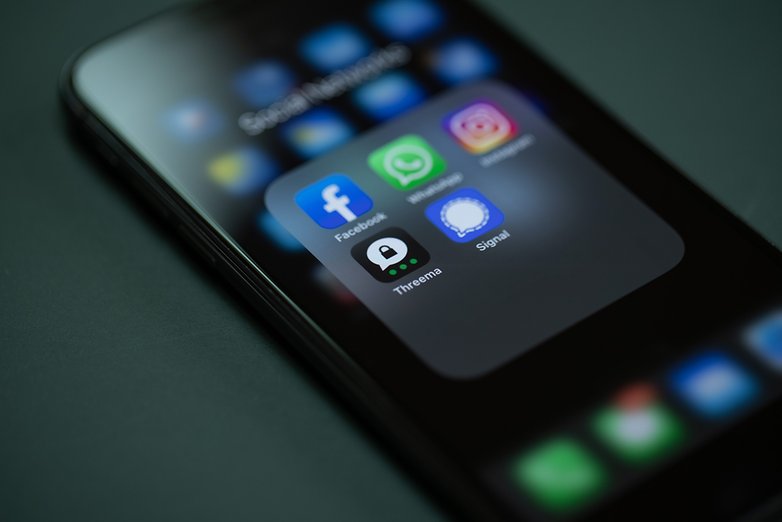
O Threema é um aplicativo de mensagens relativamente popular na Europa, mas que ainda não emplacou em outras regiões. Uma das principais razões é o fato de que, ao contrário da maioria de seus rivais gratuitos, o Threema é um aplicativo pago que custa entre R$ 15,99 e 16,90.
Em troca do preço, você recebe um app repleto de recursos. Além de suportar chats em grupo, listas de distribuição e canais, o Threema agora também oferece chamadas de áudio/vídeo e até mesmo enquetes. O Threema também possui um app para PCs — embora o funcionamento aqui seja o mesmo do WhatsApp, em que o aplicativo desktop precisa ser associado ao telefone para funcionar.
O que faz com que o Threema se destaque do WhatsApp, no entanto, é sua ênfase na privacidade. Depois de receber o seu pagamento, a empresa não quer saber nada a seu respeito. Basta criar seu perfil e começar a usar o aplicativo anonimamente para sempre.
Encontrar uma pessoa usando seu perfil só é possível quando ela voluntariamente lhe oferece acesso. Como já é de esperar, toda a comunicação no Threema é criptografada de ponta a ponta, e nenhum dado é armazenado nos servidores da empresa.
Pontos contra o Threema
Embora esteja repleto de recursos, o modelo de negócio pago do Threema significa que ele continuará a atrair um nicho do público que está super preocupado com a privacidade on-line. Em sua forma atual, é pouco provável que ele alcance a massa crítica de pessoas como o WhatsApp, Telegram ou mesmo o Signal. Ah, e antes que eu esqueça, o Threema não é muito bom quando se trata de mover os backups de chat de um dispositivo para outro.
O resto dos mensageiros desta lista não são tão populares como os mencionados acima — ou transitaram para um aplicativo de mensagens depois de terem sido projetados para outra coisa originalmente, mas nós os listamos de qualquer forma para que você esteja ciente das escolhas.
Em resumo: baixe o Threema se você acredita no slogan "pague por sua privacidade". Mas convencer seus amigos a pagar por um app de mensagens vai ser difícil.
- Baixe o Threema na Google Play Store ou na Apple App Store.
iMessage: apenas para quem tem iPhone
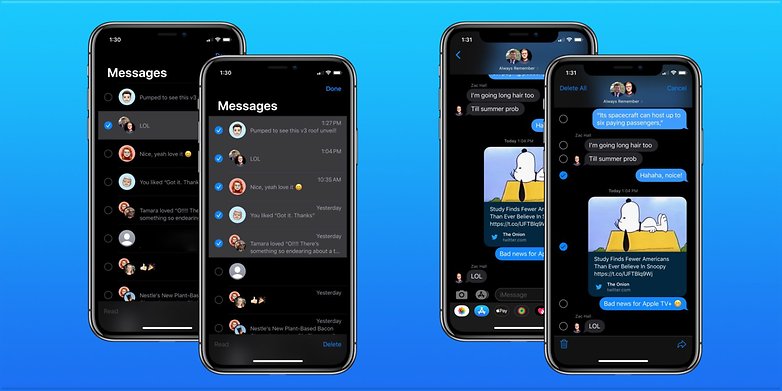
O iMessage é um app de mensagens amplamente utilizado nos Estados Unidos entre os donos de iPhone no país. No entanto, seu impacto é pequeno em outros países ocidentais, onde o WhatsApp domina de goleada.
Dada a popularidade dos iPhones e do iOS nos EUA, no entanto, a maioria dos norte-americanos pode fazer do iMessage seu principal app de mensagens. Com o iMessage, as pessoas podem enviar mensagens para qualquer smartphone, e ele também suporta criptografia de ponta a ponta.
O app também suporta o uso em múltiplos dispositivos — restrito apenas aos produtos Apple. Em alguns países, você também pode usar o iMessage para enviar e receber dinheiro usando o Apple Pay. Mas essa é uma funcionalidade que o próprio WhatsApp liberou em alguns países utilizando o serviço Facebook Pay.
Pontos contra o iMessage
Como se já não fosse óbvio, para usar o iMessage é preciso fazer parte do ecossistema iOS. Enquanto você pode receber mensagens enviadas a partir do iMessage em outros dispositivos, você perde as principais características se você não faz parte da família Apple. Embora tenham surgido pedidos para um app do iMessage no Android, as chances de que isso aconteça seguem remotas.
Dito isso, se você estiver nos EUA, provavelmente já está usando o iMessage no iPhone em vez do WhatsApp, já que o "Zap" não é tão popular na terra do Tio Sam.
Em resumo: o iMessage exige que você invista em um produto Apple. Além disso, quase ninguém parece usá-lo fora dos EUA.
Discord: muito mais do que apenas games
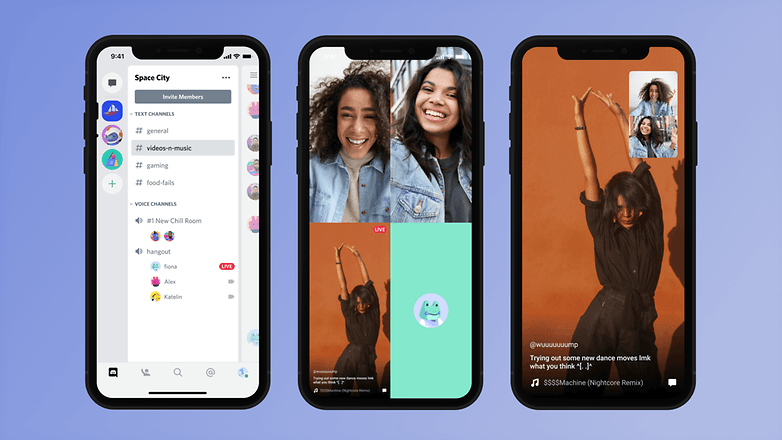
Espere, o quê? Discord como um aplicativo de mensagens?
Afinal, você já deve saber que Discord é uma plataforma de bate-papo bastante popular entre os gamers. No entanto, com o tempo, ele se transformou em uma serviço de mensagens repleto de recursos, que suporta uma tonelada de opções úteis e poderosas.
De fato, com o passar do tempo, há uma boa chance de que o Discord se torne um aplicativo de mensagens ainda melhor e uma alternativa viável ao WhatsApp. Na verdade, entre o público gamer, muitos já usam o Discord como seu principal aplicativo de mensagens.
O Discord oferece vários recursos como conversas individuais, conversas em grupo, chamadas em grupo, e compartilhamento de mídia. No entanto, o recurso de chats em grupo é restrito a apenas 10 pessoas na data de publicação do texto. Ah, já dissemos que o Discord tem apps nativos para uma ampla gama de sistemas, incluindo Android, iOS, Windows, macOS, e até mesmo Linux?
Pontos contra o Discord
O Discord — apesar de popular entre os gamers — continua sendo uma relativamente desconhecido entre as pessoas que buscam uma alternativa ao WhatsApp. Portanto, as chances do Discord crescer para além de uma plataforma de jogos continuam reduzidas neste ponto.
Embora não vejamos o próprio Discord tentando se posicionar como uma alternativa ao 'Whats', algumas de suas características fazem dele um rival indireto ao WhatsApp para pelo menos uma pequena porcentagem das pessoas.
Em resumo: o Discord é popular entre os gamers, mas não tanto entre o público que busca um app de mensagens.
- Baixe o Discord da Google Play Store ou da Apple App Store.
E quanto ao resto?
Além desses apps mais populares, há uma tonelada de outras "alternativas ao WhatsApp" disponíveis para download na Google Play Store ou da iOS App Store, incluindo WickrMe, Keybase e Viber. E embora alguns destes apps possam vir com muitos recursos atraentes, faltam a todos eles a única coisa que é necessária para que qualquer aplicativo de mensagens tenha sucesso. Uma base de usuários significativa.
Outro aplicativo chave que não adicionamos à lista acima é o aplicativo Mensagens do Google, que é o app de SMS padrão em boa parte dos celulares Android atualmente.
Em 2019, o Google atualizou o Mensagens com suporte para o sistema RCS (Rich Communication Services). Isto basicamente permitiu que o app, antes apenas para SMS, suportasse recursos como mídia e compartilhamento de localização, recibos de leitura de mensagens e indicadores de digitação.
Embora este tenha sido um passo bem-vindo e uma boa alternativa ao iMessage em celulares Android, a maioria destes recursos já eram oferecidos em apps de mensagens como o Telegram, Signal e Threema — muitas vezes melhor implementados e com menos restrições (especialmente em tamanhos de arquivo).
Com apps como o WhatsApp, Telegram e Signal continuando a crescer em popularidade, as chances de um novo serviço de mensagens causar uma reviravolta no mercado são improváveis num futuro próximo.
Você usa o WhatsApp diariamente? Está planejando em mudar para uma destas alternativas ao Zap? Além disso, se você acha que não listamos um aplicativo que deveria ter feito parte desta lista, conte para nós nos comentários abaixo!




Conteúdo editorial recomendado
Com o seu consentimento, o conteúdo externo é carregado aqui.
Ao clicar no botão acima, concorda que o conteúdo externo poderá ser-lhe exibido. Os dados pessoais podem ser transmitidos a fornecedores terceiros no processo. Pode encontrar mais informações sobre isto no nosso Política de Privacidade.