Os melhores aplicativos para Android em 2021

Com milhões de aplicativos na Play Store, a busca por um app pode ser assustadora. Se você precisa de um ótimo aplicativo de previsão do tempo ou de uma nova ferramenta para acelerar sua produtividade, há sempre dezenas ou centenas de opções. Passamos horas verificando os melhores aplicativos Android para cada categoria e separamos as melhores opções nesta lista.
- Veja tambem: Os melhores aplicativos para iPhone
Separamos alguns aplicativos obrigatórios para Android em várias categorias e selecionamos um app — que achamos ser o melhor — para cada uma delas. Você encontrará também links para as listas de melhores apps para determinadas finalidades ao longo do texto.
Pegue um atalho
- Aplicativos indispensáveis para Android
- Melhores aplicações para o dia-a-dia
- Os melhores aplicativos fotográficos
- Os melhores apps de fitness e estilo de vida
- Melhores aplicativos multimídia
- Melhores aplicações de produtividade
Confira opções de 15 a 200 reais
Aplicativos indispensáveis para Android
Os aplicativos indispensáveis são os que a maioria das pessoas precisam instalar para o bom funcionamento de seus celulares. Esta categoria inclui principalmente apps como teclados, navegadores, aplicativos de segurança e de personalização. Enquanto a maioria deles vêm pré-instalada nos celulares, vale a pena conferir uma alternativa que (geralmente) oferece muito mais recursos do que os apps padrão.
Melhor aplicativo de teclado
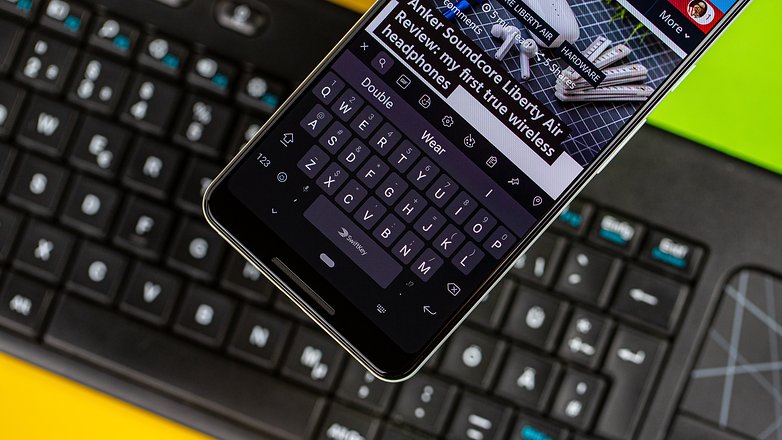
Microsoft Swiftkey
- Baixe o SwiftKey na Google Play Store
- Classificação: 4,3
- Preço: Grátis
Embora o Gboard definitivamente seja o aplicativo de teclado mais popular na plataforma Android, isso se deve em grande parte porque vem pré-instalado na maioria dos dispositivos com o sistema do Google. Antes da chegada do Gboard em 2016, o SwiftKey estava indiscutivelmente entre os aplicativos de teclado mais populares para dispositivos Android.
Com mais de 500 milhões de downloads na Google Play Store, o SwiftKey continua extremamente popular. Ele é repleto de recursos e é definitivamente uma ótima alternativa ao Gboard.
- Precisa de mais opções? Aqui estão os melhores apps de teclado para Android
Melhor aplicativo para gerenciamento de arquivos
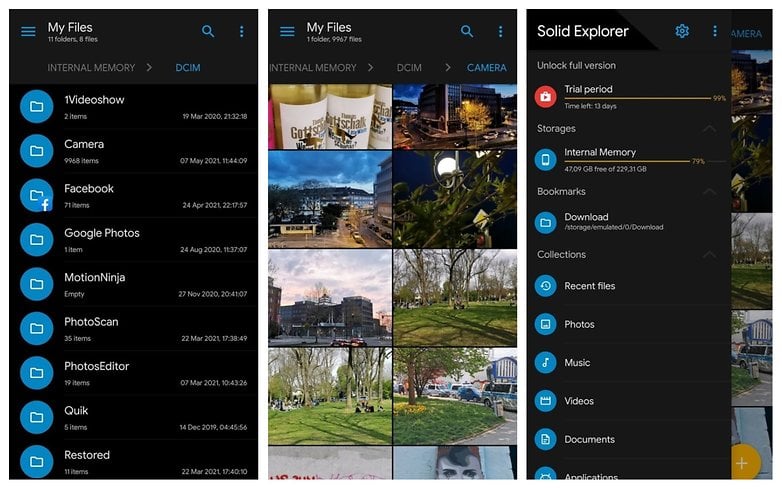
Solid Explorer
- Baixe o Solid Explorer na Google Play Store
- Classificação 4,3
- Preço: Grátis, com compras no app
Gerenciadores (ou exploradores) de arquivos são aplicativos obrigatórios em smartphones há várias décadas. Embora inicialmente utilizados apenas por usuários avançados, os gerenciadores de arquivos têm crescido em popularidade graças à natureza aberta do Android. Enquanto o Google oferece seu próprio gerenciador de arquivos dentro do aplicativo 'Files', há vários aplicativos de gerenciadores de arquivos independentes com recursos adicionais. Entre eles, nossa sugestão é o Solid Explorer.
Melhor navegador
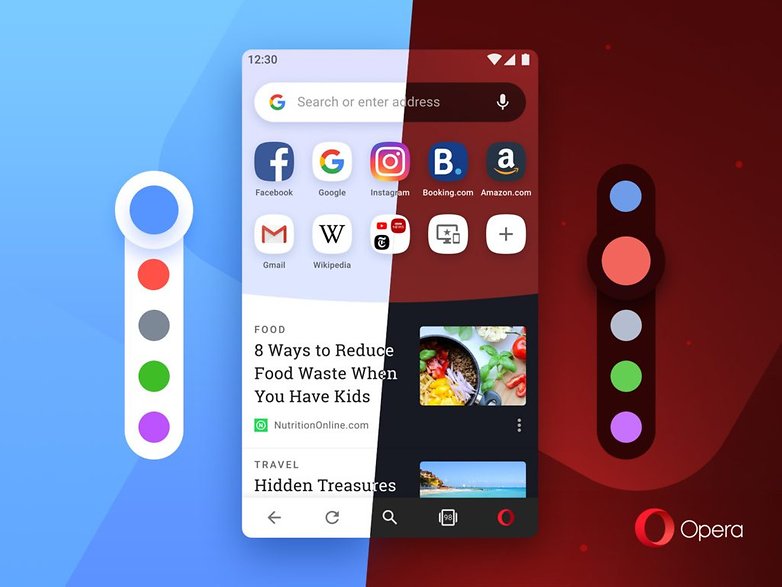
Opera
- Baixe o Opera na Google Play Store
- Classificação: 4,5
- Preço: Grátis
Sim, o Google Chrome é de longe o navegador mais popular, não só para o sistema Android, como na internet como um todo. Mas ele se tornou tão onipresente, que quase não é necessário adicioná-lo a uma lista. Portanto, considere esta sugestão como nossa escolha para o melhor navegador que não se chame Google Chrome. Quanto ao Opera, bem, eles estão no mercado há mais de duas décadas e o Opera para Android é uma opção realmente sólida e repleta de recursos.
- Leia mais: Os melhores navegadores para Android
Melhor launcher
Nova Launcher
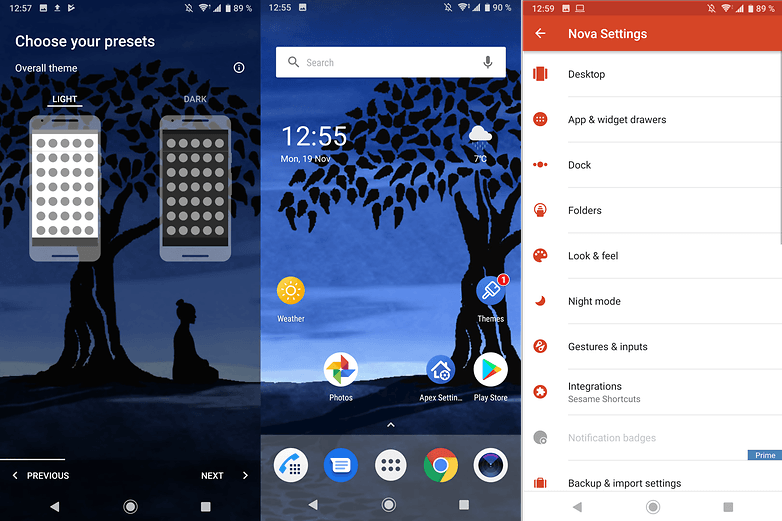
- Baixe o Nova Launcher na Google Play Store
- Classificação: 4,4
- Preço: Grátis (versão paga disponível com mais recursos)
Uma das maneiras mais fáceis de personalizar seu celular Android é instalar um launcher alternativo. Nosso favorito na categoria é o Nova Launcher. Este app é um dos prediletos entre o público Android há muito tempo — e continua sendo o app padrão de milhões de pessoas. Entre os motivos do sucesso do Nova Launcher estão sua versatilidade e simplicidade, que atende não só o público iniciante como também quem adora fuçar as centenas de opções disponíveis.
- Leia mais: Os melhores launchers para Android
Melhor aplicativo de segurança/antivírus
Sophos Intercept X
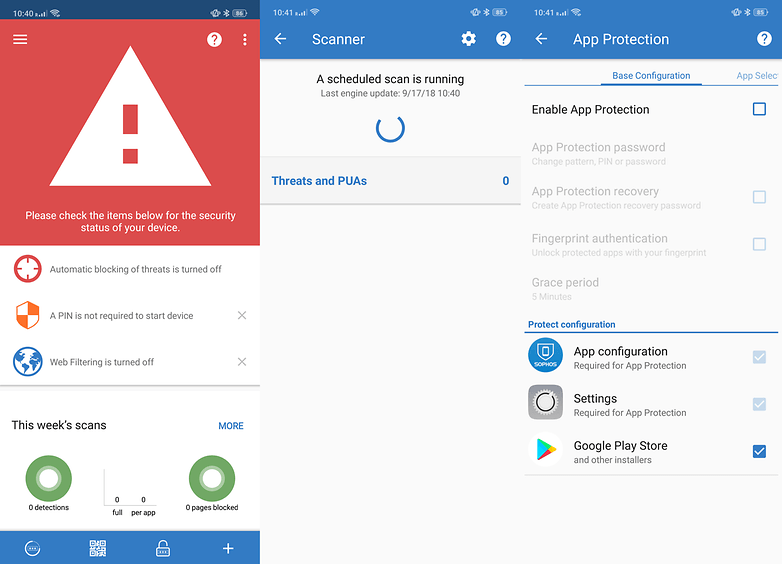
- Baixe o Sophos Intercept X na Google Play Store
- Classificação: 4,3
- Preço: Grátis
O Sophos Intercept X é uma ferramenta antivírus e anti-malware premiada que conseguiu alcançar consistentemente uma pontuação de 100% de proteção na comparação do site especializado AV-TEST entre os principais aplicativos de segurança e antivírus Android. É um aplicativo gratuito que oferece um conjunto abrangente de recursos que vão desde proteção contra malware, filtragem da Web e verificação de links até proteção de aplicativos, Wi-Fi e avisos de privacidade. E afirma fazer tudo isso sem afetar negativamente a vida útil da bateria de seu telefone.
Melhores aplicativos para o dia a dia
Os aplicativos listados nesta seção podem não ser essenciais — mas facilitam nossas vidas. Como você verá, esta categoria consiste em opções para compras, controle tempo, mensagens e ferramentas relacionadas a mapas e navegação.
Melhor aplicativo para mensagens
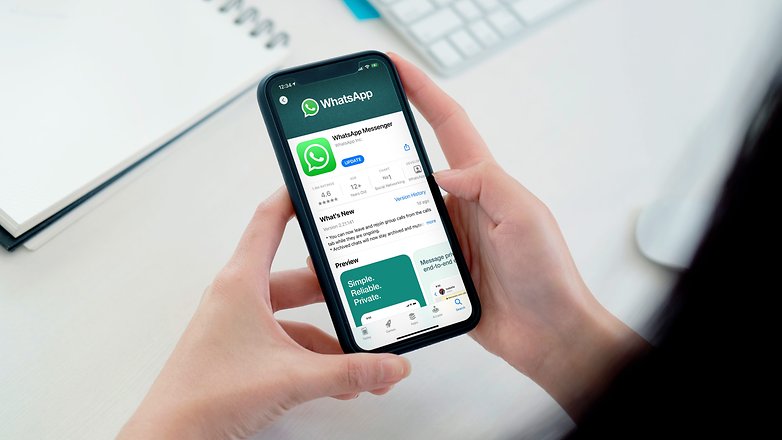
- Baixe o WhatsApp na Google Play Store
- Classificação: 4,1
- Preço: Grátis
O WhatsApp não consegue ficar longe de uma polêmica, mas com uma base de mais de 2 bilhões de usuários ele é — de longe — o app de mensagens mais popular no planeta Terra. Whats, Zap ou mesmo ZapZap, não importa como você chama o aplicativo, não dá para escapar da sua popularidade.
- Se você não gosta do app do Facebook, confira nossa lista de alternativas ao WhatsApp
Melhor aplicativo de previsão do tempo
Accuweather
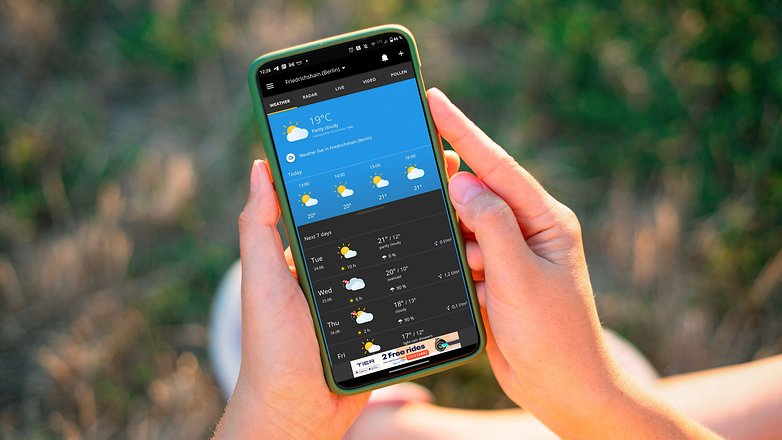
- Baixe o Accuweather na Google Play Store
- Classificação: 4,1
- Preço: Grátis, com compras no app
O Accuweather é de longe, o aplicativo meteorológico mais popular disponível para Android. E em nosso artigo dedicado sobre os melhores aplicativos de previsão do tempo atualizado recentemente, ele encabeçou a lista. Não é por acaso que escolhemos o Accuweather para ser nossa sugestão de melhor aplicativo meteorológico para Android.
- Leia também: Os melhores aplicativos de clima para Android & iOS
Melhor aplicativo de lista de compras
OutOfMilk
- Baixe o OutOfMilk na Google Play Store
- Classificação: 4,4
- Preço: Grátis
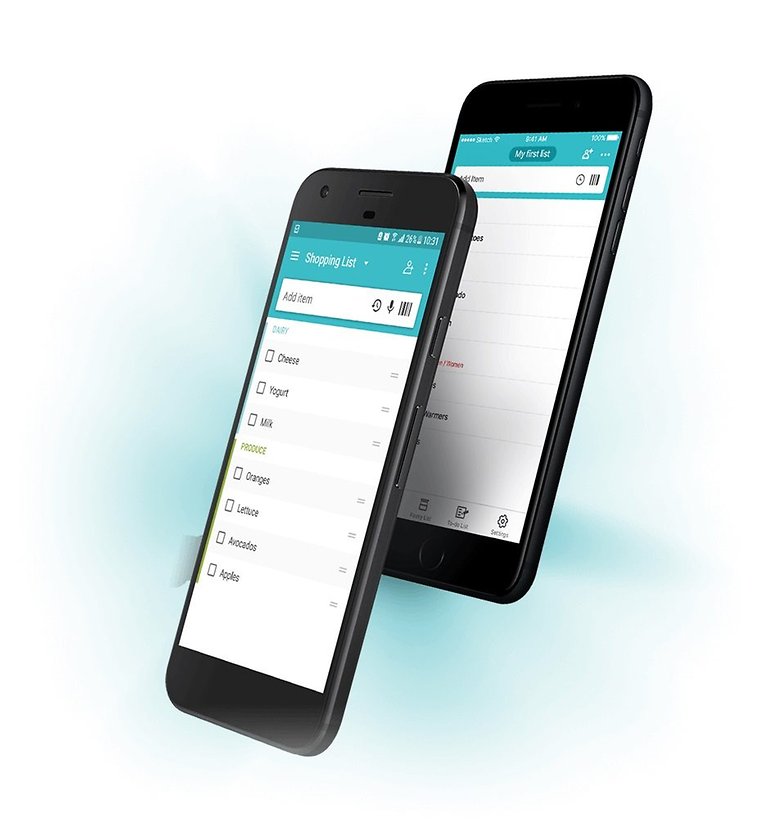
Com mais de 5 milhões de downloads, o Out of Milk se destaca entre os aplicativos para listas de compras. Muito bem projetado, ele categoriza os produtos em seções — ao invés de fazer uma lista aleatória. Também achamos o aplicativo bastante intuitivo.
Melhor aplicativo de mapas (offline)
Google Maps
- Baixe o Google Maps na Google Play Store
- Avaliação: 3,8
- Preço: Grátis
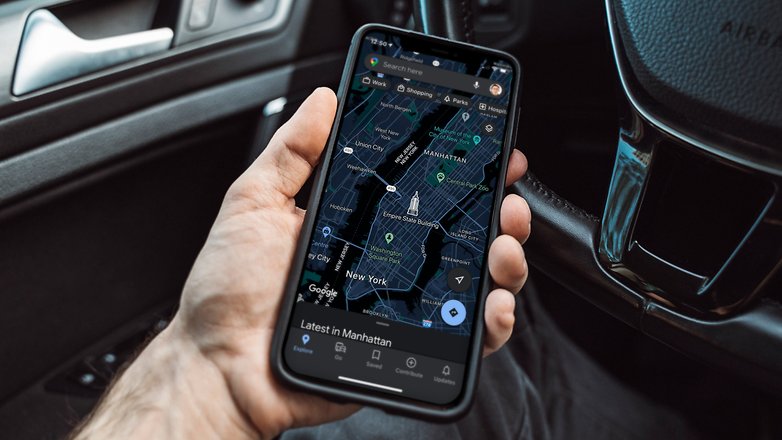
Ame ou odeie, não há como negar que o Google Maps é o aplicativo de mapas mais popular e amplamente utilizado no mundo. Embora não seja apresentado como um app de mapas offline, o Google Maps tem um recurso offline muito útil no qual você pode baixar os dados de uma região específica com bastante antecedência usando sua conexão Wi-Fi. Naturalmente, existem outros aplicativos de mapas offline que oferecem várias funcionalidades.
Melhores aplicativos fotográficos
Os celulares praticamente aposentaram as câmeras compactas, oferecendo mais praticidade na hora de tirar e compartilhar as fotos. E os smartphones topo de linha vendidos atualmente ostentam uma ótima qualidade de imagem e vídeo e podem satisfazer até mesmo as necessidades dos fotógrafos mais exigentes.
A vantagem adicional com os celulares é que os usuários não só têm a opção de brincar com diferentes aplicativos de câmera, mas também podem usar ferramentas capazes de edição de imagem para fazer suas fotos parecerem ainda melhores!
Melhor aplicativo de câmera
Google Camera
- Baixe o Google Camera na Google Play Store
- Classificação: 3,2
- Preço: Grátis
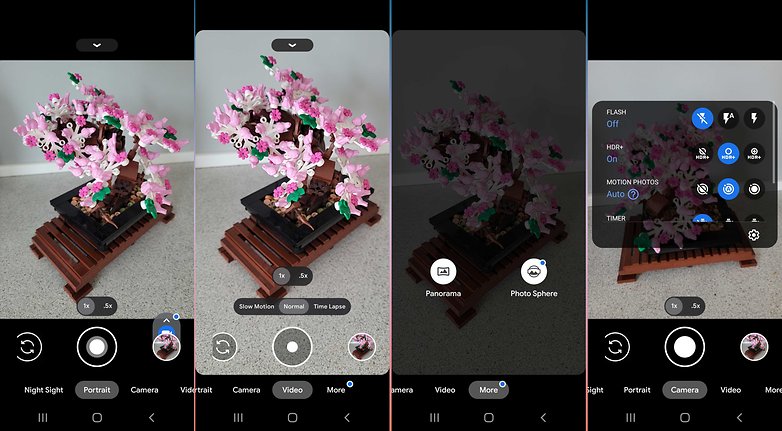
Como você já deve ter adivinhado, o Google Camera é o aplicativo oficial de câmera feito pelo Google para celulares Android. Embora não seja tão repleto de recursos como outros aplicativos da categoria, este app é mais do que capaz de atender às necessidades da maioria das pessoas. Os recursos extras que você encontra no Google Camera incluem o modo de desfocagem da lente, fotosferas e em alguns aparelhos — o excelente modo Night Sight para fotos noturnas. Lembre-se de que a lista de recursos disponíveis depende do seu aparelho.
Melhor aplicativo de edição de fotos
Snapseed
- Baixe o Snapseed na Google Play Store
- Classificação: 4,4
- Preço: Grátis
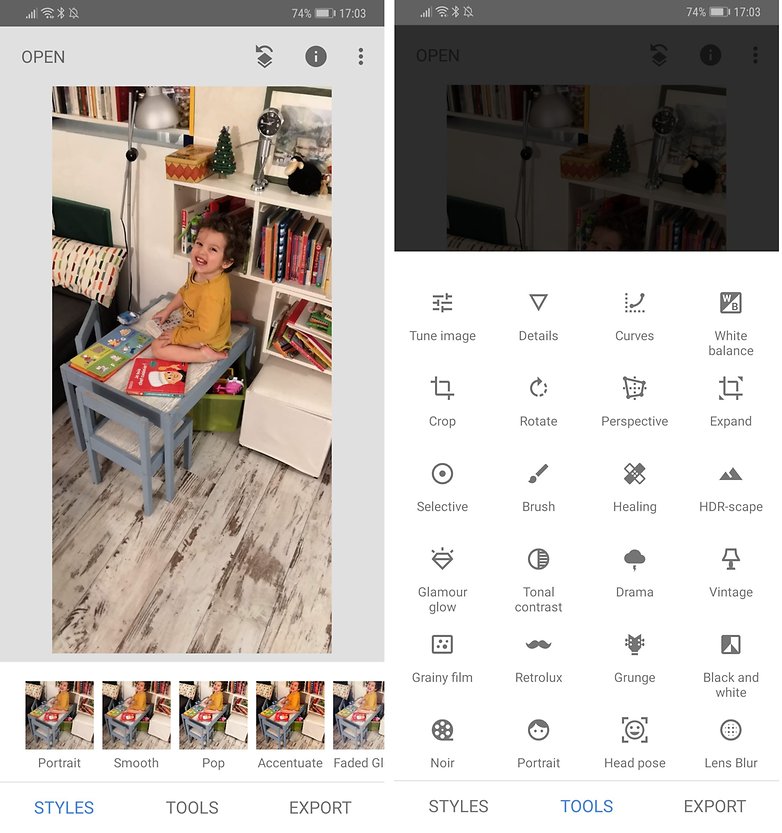
O Snapseed é uma ferramenta de edição de fotos poderosa desenvolvida pelo Google. Ele aparece frequentemente no topo das listas dos melhores apps fotográficos — e por uma boa razão. Ele é repleto de recursos que incluem 29 ferramentas e filtros e tem inúmeras outras características que tanto fotógrafos amadores quanto profissionais adoram. A melhor parte do Snapseed é que ele oferece todas estes recursos de graça!
Melhor aplicativo de galeria de fotos
Simple Gallery Pro
- Baixe o Simple Gallery Pro na Google Play Store
- Classificação: 4,7
- Preço: R$ 3,49
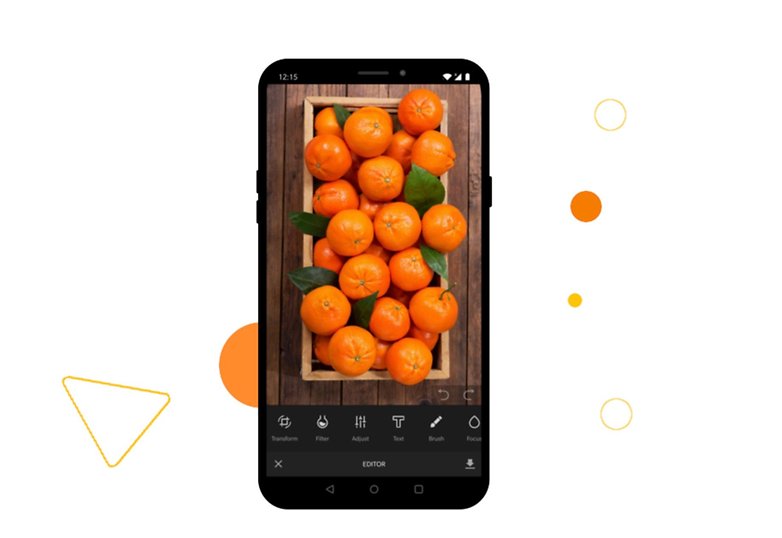
Como o nome indica, o Simple Gallery Pro é um aplicativo muito simples de galeria para as fotos no seu celular. O que o torna especial é seu suporte para um monte de recursos adicionais e auxiliares que vão desde uma ferramenta de edição de fotos e um gerenciador de arquivos até a capacidade de recuperar fotos apagadas e proteger e esconder de olhares curiosos as fotos comprometedoras armazenadas no seu celular.
Melhor aplicativo de armazenamento de fotos na nuvem (alternativa ao Google Fotos)
Degoo
- Baixe o Degoo na Google Play Store
- Classificação: 4,4
- Preço: Grátis (oferece planos pagos)
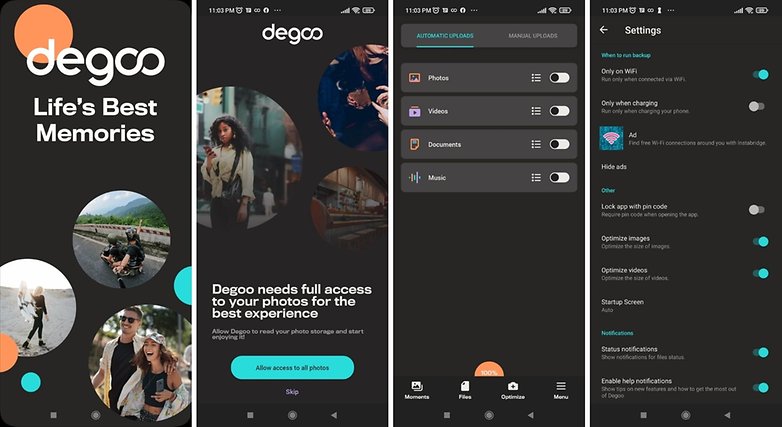
Com o Google Photos limitando o armazenamento gratuito, surgiu um vazio no mercado para um bom aplicativo de backup de fotos com preços decentes. Seguindo as recomendações da comunidade NextPit, o Degoo se mostrou uma ótima alternativa ao Google Photos. Ele oferece 100GB de armazenamento gratuito para os planos gratuitos e oferece planos de até 10 TB em dispositivos ilimitados por uma assinatura mensal de 10 dólares.
- Leia também: As melhores soluções de armazenamento na nuvem
Melhores aplicativos de fitness e estilo de vida
Como mostra o crescimento impressionante do segmento de pulseiras fitness e smartwatches, a saúde e o bem estar se tornaram aspectos-chave na vida da maioria dos donos de celulares. Isto levou à popularização de apps com as mais diferentes abordagens. Qual deles é o melhor para suas necessidades?
O melhor aplicativo de fitness
Strava
- Baixe o Strava na Google Play Store
- Classificação: 4,4
- Preço: Grátis (versão Pro disponível)
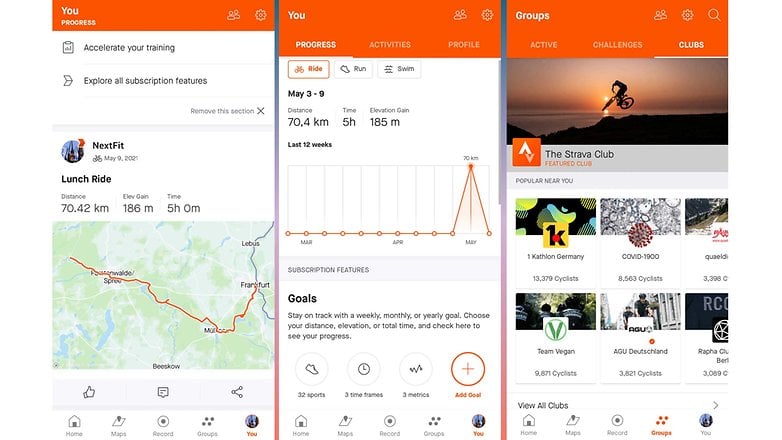
O Strava já existe há muito tempo e está facilmente entre os apps fitness mais populares atualmente entre celulares Android. O aplicativo suporta a maioria das atividades que você pode imaginar — incluindo corrida, ciclismo e natação e também suporta recursos essenciais como distância, ritmo, velocidade, elevação e rastreamento de calorias. Outra característica chave do Strava é sua compatibilidade com uma grande variedade de dispositivos Android e WearOS. O Strava também é conhecido por ter uma comunidade muito ativa em seu ecossistema.
- Leia também: Os melhores aplicativos de fitness para Android
Melhor aplicativo de contagem de passos
Pacer Pedometer
- Baixe o Pacer Pedometer na Google Play Store
- Classificação: 4,7
- Preço: Grátis, com compras no app
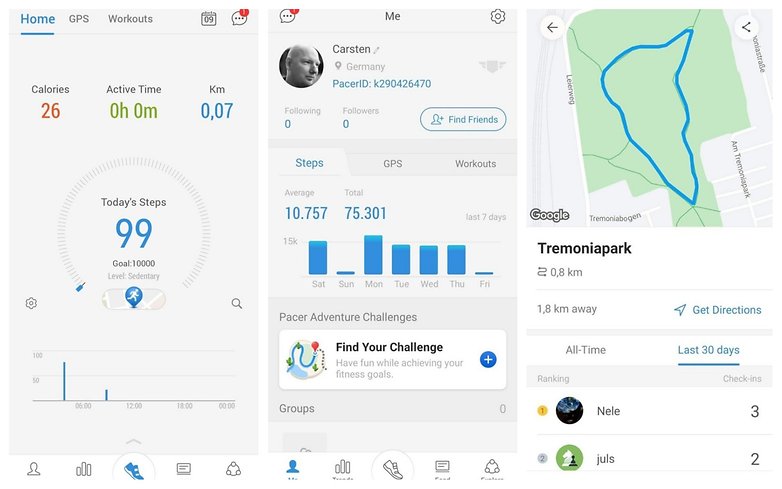
Para quem busca um aplicativo de contagem de passos sem complicações, o Pacer parece ser uma ótima escolha. Além de gratuito, ele oferece muitos recursos e funciona sem a necessidade de uma pulseira fitness. Além de contar o número de passos, você pode usar o app para registrar outros aspectos como distância e calorias queimadas. O aplicativo também tem uma aba separada onde você pode conferir seu histórico completo de atividades. O Pacer Pedometer também tem uma pequena comunidade onde você pode lançar e aceitar desafios.
Melhores aplicações de contagem de calorias
Yazio
- Baixe o Yazio na Google Play Store
- Classificação: 4,6
- Preço: Grátis
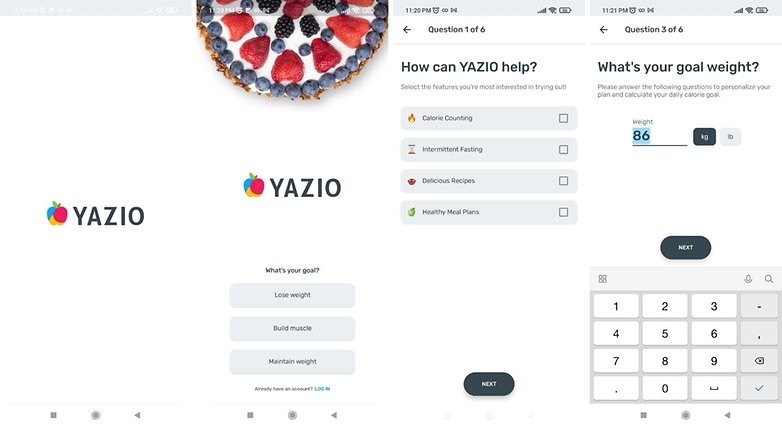
Talvez o mais popular contador de calorias na plataforma Android, o Yazio não só é um ótimo app, como também é grátis. Ele está carregado de recursos e inclui um enorme banco de dados de alimentos e também inclui receitas e planos de refeições. O aplicativo também suporta o rastreamento automático de atividades e tem até mesmo um lembre para beber água. Com se não bastasse, o aplicativo não inclui anúncios, mesmo sendo gratuito!
O melhor aplicativo de namoro
Tinder
- Baixe o Tinder na Google Play Store
- Classificação: 3,3
- Preço: Grátis, com compras no app
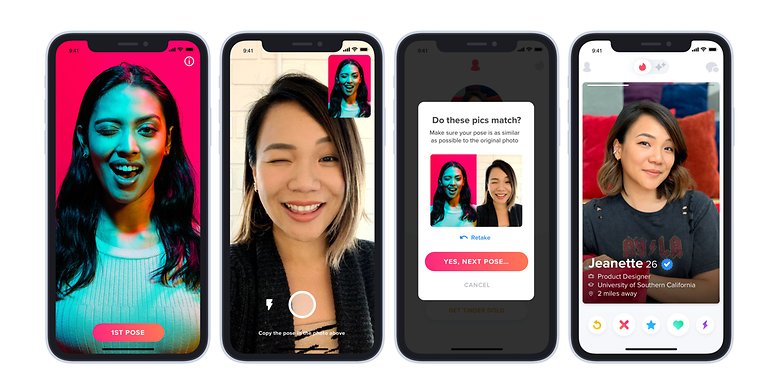
O Tinder afirma ter promovido mais de 30 bilhões de matches até o momento. Um número insano, considerando que existem apenas cerca de 8 bilhões de nós aqui no planeta Terra. Mas ei, com mais de 100 milhões de downloads, ele é de longe o aplicativo de encontros mais popular. E com os aplicativos de paquera, é importante que ele tenha uma base de usuários considerável para aumentar as chances de sucesso. E apenas com base nos números, sentimos que o Tinder é sua melhor aposta na categoria.
- Precisa de mais opções? Os melhores aplicativos de namoro para Android e iOS
Melhores aplicativos multimídia
O celular moderno é uma potência multimídia, graças a uma infinidade de aplicativos que permitem assistir filmes, ouvir música e até mesmo ler livros. Embora existam dispositivos dedicados para todas estas atividades, o fato de seu smartphone poder fazer tudo isto é uma prova de quão longe chegamos desde os tempos em que o aparelho não passava de uma versão sem fios do telefone com linha fixa.
Melhor aplicativo para streaming de música
Spotify
- Baixe o Spotify na Google Play Store
- Classificação: 4,4
- Preço: grátis, com planos de assinatura
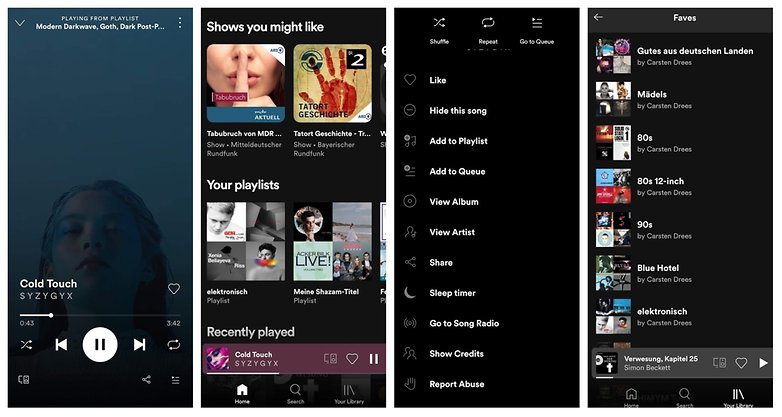
O Spotify é o aplicativo de streaming de música mais popular do planeta por uma razão muito simples. Além de ter uma grande biblioteca de músicas, ele equilibra uma gama de recursos, integrações com redes sociais e oferece apps para diversas plataformas. Isso tudo sem contar a disponibilidade do plano gratuito.
- Quer mais alternativas? Os melhores aplicativos de streaming de música para celular
Melhor aplicativo para streaming de filmes
Netflix

- Baixe o Netflix na Google Play Store
- Classificação: 4,3
- Preço: a partir de R$ 25,90
Nosso editor Antoine escolheu recentemente o Netflix como o melhor aplicativo para assistir filmes e séries em nosso comparativo com as principais plataformas de streaming. É até difícil de sugerir outro serviço para ter como a principal opção no celular, mas vale a pena conferir as alternativas para variar o cardápio na TV ou celular:
Melhor aplicativo para leitura de livros
Amazon Kindle
- Baixe o Amazon Kindle na Google Play Store
- Classificação: 4,3
- Preço: grátis
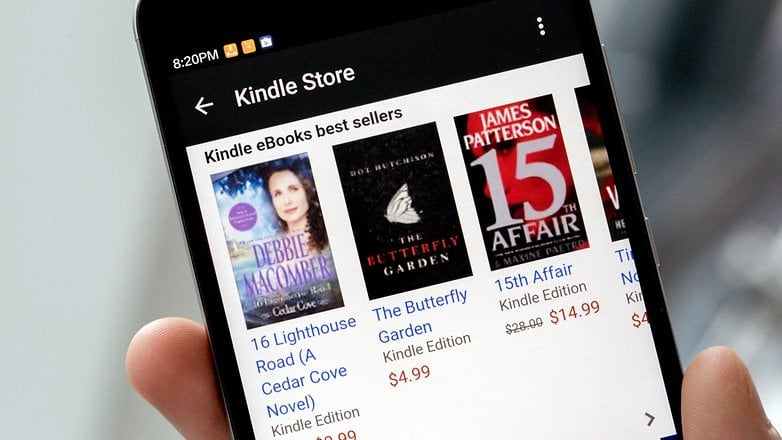
O Kindle é uma escolha óbvia graças ao peso da marca no mercado de eReaders. O aplicativo para Android do Amazon Kindle permite acessar milhões de livros e revistas sem a necessidade de comprar um dispositivo Kinde dedicado. O aplicativo é repleto de recursos e oferece amostras grátis de milhares de livros. Ele permite que você escolha a fonte de sua preferência para leitura e oferece recursos adicionais para assinantes Prime.
Melhor aplicativo gratuito para download de músicas
Jamendo
- Baixe o Jamendo na Google Play Store
- Classificação: 2,7
- Preço: grátis
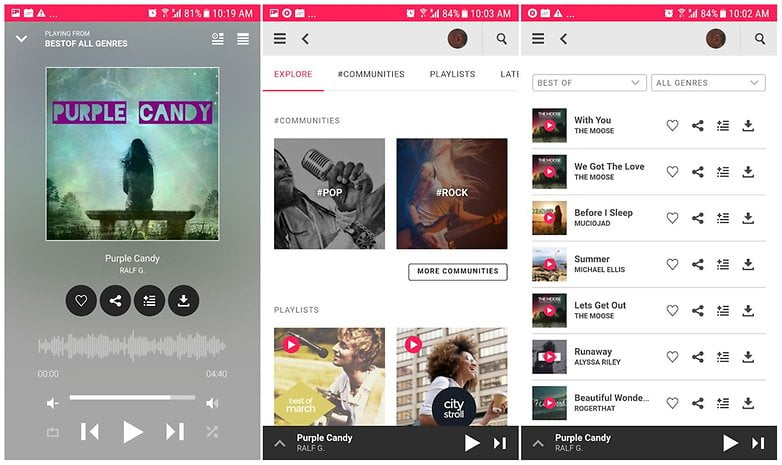
O Jamendo é uma plataforma para artistas independentes que é completamente grátis para uso. Ela conta com mais de 40.000 artistas independentes de todo o mundo. O acesso a todo o conteúdo é gratuito, sendo a única condição a criação de uma conta. Também achamos o Jamendo bastante fácil de usar e o recomendamos porque ele oferece downloads gratuitos de músicas livres de royalties para uso comercial!
Melhores aplicativos de produtividade
Embora os celulares sejam acusados de fazer com que as pessoas fiquem presas a eles durante horas, não há como negar que eles também podem ser usados como ferramentas para aumentar a produtividade. A Google Play Store está repleta de aplicativos que permitem que você seja mais organizado e produtivo. Mas como podemos separar o joio do trigo? Bem, é para isso que estamos aqui! A seguir estão listados os melhores apps centrados na produtividade em várias categorias
Melhor aplicativo de calendário
Calendário Google
- Baixe o Google Calendário na Google Play Store
- Classificação: 4,3
- Preço: Grátis
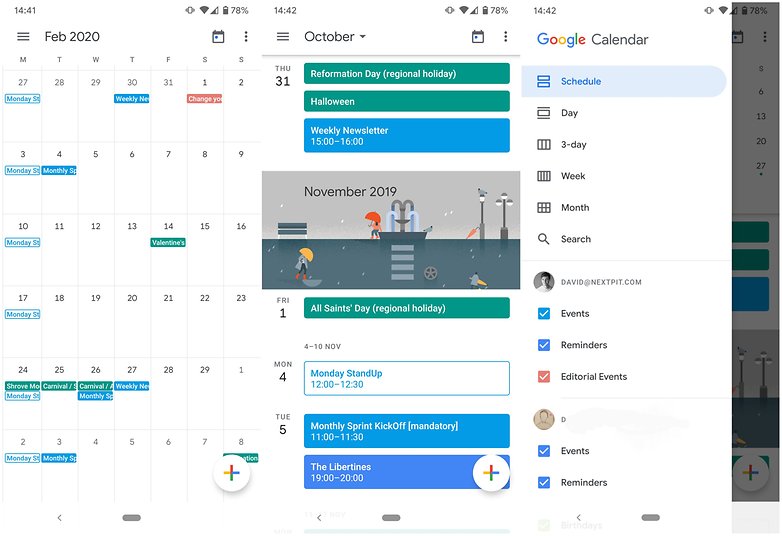
Esta não foi uma escolha difícil. O Google Calendar é um ótimo app e até mesmo as pessoas que não gostam do Google concordam com isso. A principal vantagem do Google Calendar — especialmente se você está preso ao ecossistema Google é que ele ajuda a poupar seu tempo preenchendo compromissos. O Google Calendar sincroniza informações e dados em vários aplicativos do Google e faz tudo isso de forma eficiente.
Melhor aplicativo de e-mail
Blue Mail
- Baixe o Blue Mail na Google Play Store
- Classificação: 4,6
- Preço: Grátis
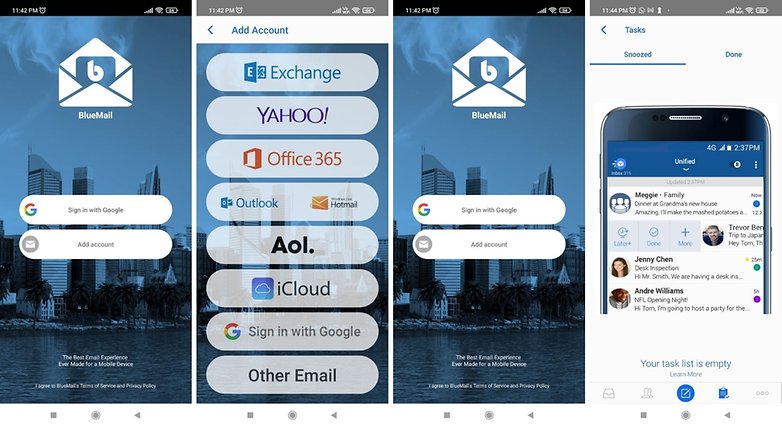
O Blue Mail é um aplicativo de e-mail universal que recebeu amplo reconhecimento por ser fácil de usar e por ter uma interface limpa. Ele é compatível com vários serviços de e-mail incluindo Gmail, Outlook, Hotmail, Yahoo Mail, AOL, iCloud e Office 365 e dá a opção de visualizar todos os seus e-mails em uma única caixa de entrada integrada. Ele também inclui seu próprio calendário integrado que sincroniza com os dados de suas contas de e-mail, permitindo a possibilidade de acessar seus eventos de calendário diretamente no Blue Mail.
Melhor aplicativo para anotações
Evernote
- Baixe o Evernote na Google Play Store
- Classificação: 3,7
- Preço: grátis, inclui compras no app
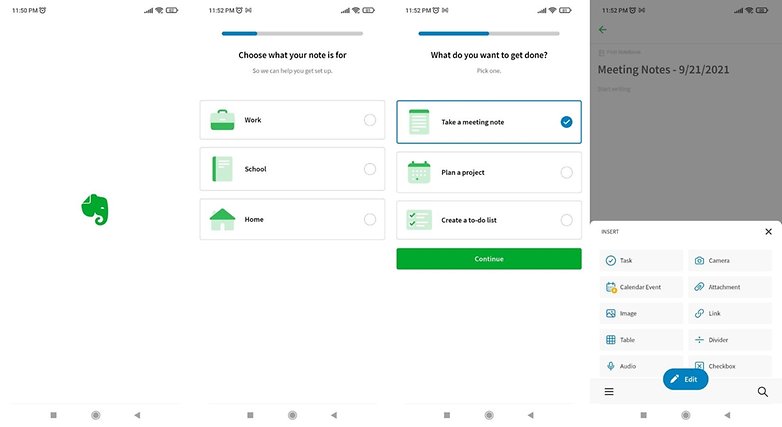
O Evernote tem sido o favorito entre os fãs de aplicativos de anotações há muitos anos. Sua popularidade se deve ao fato de ter uma interface muito simples, limpa e fácil de usar, apesar de oferecer um grande número de funções.
Melhor aplicativo de tarefas
Todoist
- Baixe o Todoist na Google Play Store
- Classificação: 4,5
- Preço: Grátis, com compras no app
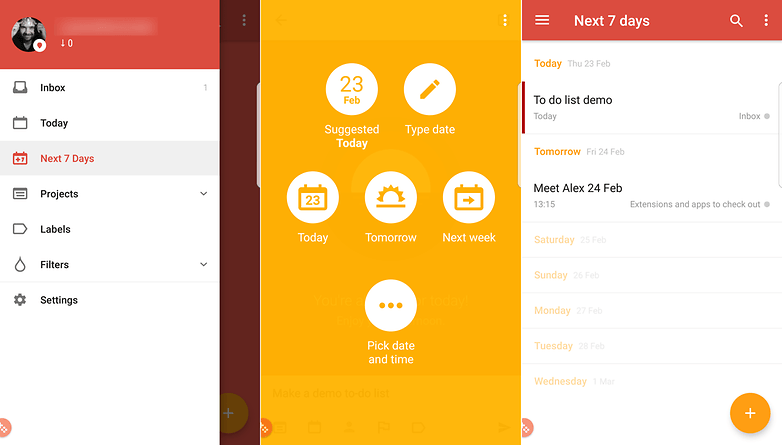
O Todoist está indiscutivelmente entre os apps mais populares na Google Play Store e afirma ter uma base com mais de 20 milhões de usuários. O aplicativo tem muitos recursos que atraem aqueles que levam sua lista de tarefas muito a sério. Ele tem vários recursos adicionais como a capacidade de lembrá-lo sobre prazos e tarefas recorrentes. Você também pode definir níveis de prioridade para cada um e até mesmo fazer com que ele se sincronize com suas contas de e-mail.
Bem, isso encerra nosso artigo sobre os melhores aplicativos Android. Todas as sugestões acima podem ser baixadas da Play Store. Mas você sabia que existem alternativas à loja oficial do Google onde você também pode baixar apps e games? Entre as mais importantes estão as seguintes:
Quais são seus aplicativos preferidos para Android? Esquecemos de algum app que você considera melhor que o sugerido?Deixe sua sugestão nos comentários!



Hoje em dia discordo que Spotify seja o melhor streaming de música. Cheio de bugs e muito mal otimizado, além do catálogo de músicas não é ser 100% completo.
Em termo de leveza e uma boa interface é um catálogo de música infinita o YouTube music e o melhor pra mim.
SwiftKey me impressiona por se manter leve até hoje. Em alguns aparelhos pesa menos de 40 Mb e usa pouca RAM fazendo muito. Esse a Microsoft tocou e não estragou rsrsrs...
-
Admin
-
Equipe
24/09/2021 Link para o comentárioboa ideia, dá pra fazer uma bela lista de aquisições da Microsoft que só serviram pra gastar dinheiro (ou eliminar um concorrente)...
que me vem à cabeça:
- nokia mobile
- skype
- qualquer coisa de "arte" ou "criatividade"...
Nossa , iremos necessitar um smartphone com quanto de armazenamento para poder usufruir da lista completa? -)