Conheça os apps para Android que vão te dar um dinheirinho extra

"Cautela, canja de galinha ou um dinheirinho extra não fazem mal a ninguém". O ruim é que, nestes tempos bicudos, está difícil encontrar o dinheirinho. Mas seu smartphone pode ajudar: existem apps que recompensam seus usuários por responder a pesquisas de opinião, assistir anúncios ou participar de um "game show".
Mas não existe milagre: você não vai ficar rico, nem vai ganhar o suficiente para abandonar seu emprego. Mas, como dizem, "melhor um pássaro na mão do que dois voando": Prefiro ter uns reazinhos extras no bolso para pagar uma pizza do que ficar de mãos abanando.
Separamos neste artigo três dos muitos apps que podem lhe ajudar a descolar uns trocados. E se você ganhar alguma coisa, já sabe: mande uma cervejinha aqui pra nossa equipe ;)
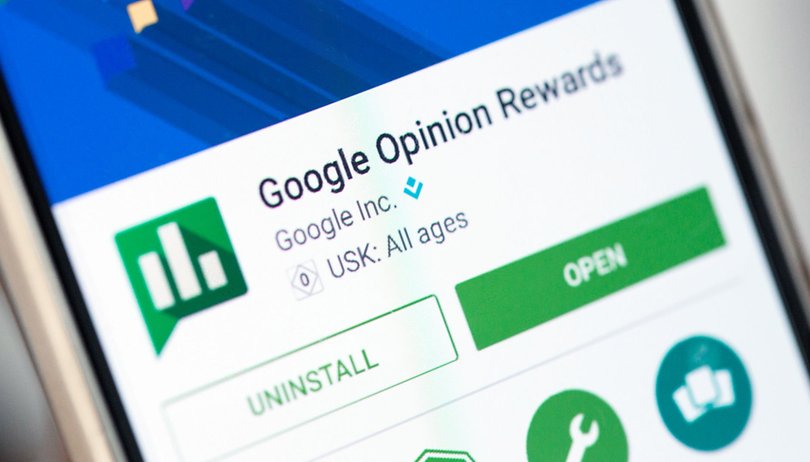
Google Opinion Rewards
Este app do Google não te dá dinheiro vivo, mas dá algo quase tão bom quanto: crédito no Google Play. O funcionamento é muito simples: instale o app e aguarde. Quando uma pesquisa estiver disponível o ícone de um troféu irá aparecer na barra de notificações, e aí é só responder às perguntas e recuperar seu crédito.
As pesquisas são bastante curtas e podem ser respondidas em um ou dois minutos, e os temas são variados. Pode ser uma pesquisa sobre o atendimento em um lugar onde você esteve, sobre intenção de compra (algo como "se você fosse trocar de celular hoje, qual marca escolheria") ou até mesmo um "recall" de marca (se você ouviu falar sobre determinada marca ou produto).
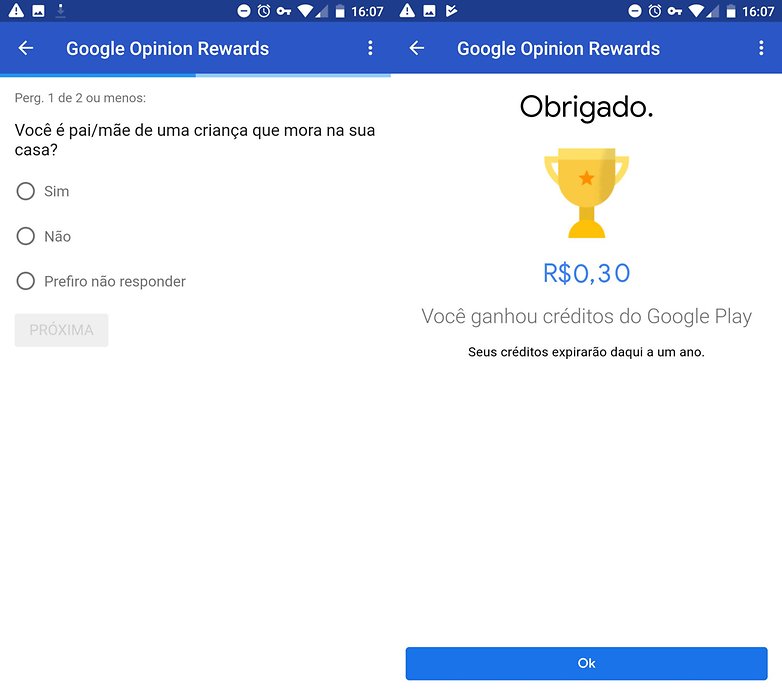
O valor por resposta varia de acordo com a pesquisa, algumas vão te dar alguns centavos, outras podem te dar pouco mais de 1 real. O valor recebido vai imediatamernte para a "carteira" do app, e você pode usá-lo em qualquer compra no Google Play, seja um app, um livro ou um filme.
O mais legal do Rewards é que ele não te força a assistir anúncios, o sistema de recompensas é simples e direto (respondeu, ganhou, sem "cupons" ou sorteios) e não há quota mínima para saque. Se você quiser usar R$ 0,99 para comprar um app no Google Play, tudo bem.
${app-com.google.android.apps.paidtasks}Big Time
Quer ganhar dinheiro jogando videogame? Essa é a promessa do Big Time. Neste app você tem uma grande quantidade de jogos à disposição, e quando joga ganha tickets que lhe dão direito a participar de sorteios, com prêmios que variam de 100 a 1.000 dólares.
Quanto mais tickets você tiver, maiores as chances de ganhar. Então você vai precisar de duas coisas para levar uns cobres pra casa: tempo (para jogar e acumular tickets) e sorte (para vencer um dos sorteios). Mas se você já passa horas todo dia jogando no celular (e encarando anúncios sem ganhar nada por isso), pode ser uma forma de juntar o útil ao agradável.
Os vencedores recebem o dinheiro através de uma transferência via PayPal, de onde você pode sacar o dinheiro e enviá-lo a seu banco.

Quize
O Quize é um "Game Show", como o famoso "Show do Milhão". Para jogar os participantes devem abrir o app em um horário determinado (13:30 e 22:00 de segunda à sexta, 22:00 aos sábados e domingos e partidas extras às 19:30 de segundas, quartas e sextas) e responder a 15 perguntas de conhecimentos gerais. Ganha quem acertar todas (ou o maior número delas). Em caso de empates (por exemplo, 10 jogadores acertaram todas as perguntas), o prêmio é dividido.
Cada partida tem um valor determinado. Se um jogador errar uma pergunta durante a partida ele "morre" (sai do jogo), a não ser que tenha uma "vida" extra (que você ganha indicando amigos). Também é possível acumular "pulos", que permitem que um jogador pule uma pergunta cuja resposta não sabe, sem sair da partida. Para isso, basta assistir vídeos que surgem dentro do app.
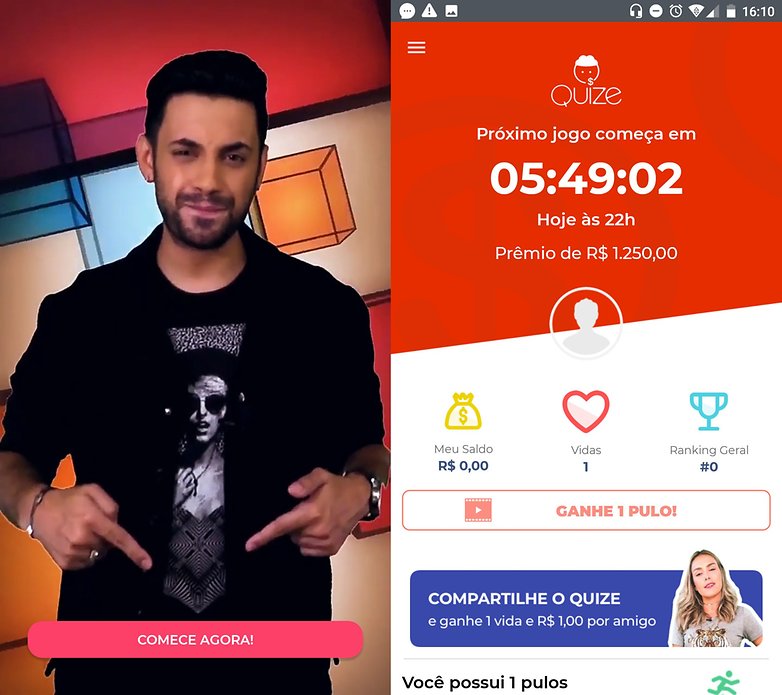
Segundo os desenvolvedores, o jogo está aberto a participantes de todo o Brasil. Os prêmios são entregues na forma de um Cartão de Crédito pré-pago, que pode ser usado em qualquer joga que aceite a bandeira Mastercard.
E você, conhece algum outro aplicativo que deveria estar nessa lista? Deixe sua sugestão nos comentários.





olá, mesmo assim, acho que dinheiro fácil é sempre uma armadilha, mas não sei por que muitos estão sendo levados
Meu Google Opinion Rewards faz tempo que não me manda nada!
Aplicativo Big time meu código de convite WP7XI e comece com 2.500 pontos
O melhor é o picpay, mas você precisa inicialmente de R$ 50 para depois pegar os cashbacks (dinheiro de volta) em pagamentos para amigos.
Também uso o RecargaPay, que dá descontos ou recargas grátis no celular.
Bom, estou testando o Honeygain. Ele utiliza o excedente da banda de internet, seja móvel ou fixa, para o conceito de computação em nuvem, e ao atingir o equivalente a US$ 20, é possível realizar o resgate desse valor, via Paypal. O tempo necesário para atingir esse montante depende diretamente da sua disponibilidade de banda, pois em alguns relatos de fóruns gringos, conseguiram atingir isso em cerca de um mês.
Se vai dar certo, eu não sei, mas não custa nada tentar hahahaha
ganhando muito no android
O Opnion Rewards eu uso, uma dica pra vir com frequência as peguntas é abir o app todo dia.
Vou experimentar
Já ganhei mais de R$ 300 com o Google Opinion Rewards. Super recomendo!
em quanto tempo mais ou menos, mano?
Esse Quize é uma porcaria, só pra constar. Já participei (ou melhor, tentei participar) mas não tem como. Trava demais, acredito que a infraestrutura pro app é pequena em relação ao número de acessos.
vale nada